My Emacs Key Workflow Moments Over The Last 30 Years
I am just at the moment reflecting on how my experience with Emacs over the last 30 years has evolved. I thought that just for fun I would list all the key moments along my Emacs journey regarding work-flow efficiency breakthroughs, roughly in year order!.
I think you can see that my investment of time has spiked in recent years, probably spurred on by writing this blog!
Firstly I went through the barren years… :
!pragma layout smetana
!theme mars
skinparam backgroundColor #eeeeee
skinparam sequenceArrowThickness 1
skinparam DefaultFontSize 20
skinparam roundcorner 20
hide footbox
-> 1994 : learning emacs at University
-> 2000 : mapped caps lock to ctrl
-> 2002 : desktop save mode
-> 2010 : using dired to replace native file explorer
-> 2016 : elisp defuns for common tasks
-> 2016 : savehist-mode
-> 2016 : winner mode
-> 2017 : ivy
-> 2018 : dabbrev
-> 2019 : rebinding keys to match usage frequency
-> 2019 : imenu for navigation
-> 2019 : macros for repetitive tasks
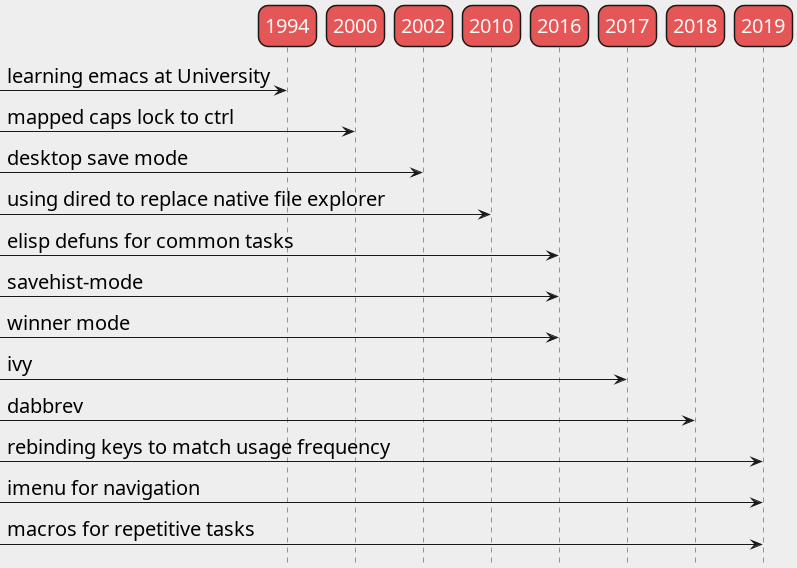
and then when I started to get a little more serious about Emacs :
!pragma layout smetana
!theme mars
skinparam backgroundColor #eeeeee
skinparam sequenceArrowThickness 1
skinparam DefaultFontSize 20
skinparam roundcorner 20
hide footbox
-> 2021 : grep with deadgrep
-> 2021 : magit
-> 2021 : leader key definition M-<key> - to take load off ctrl
-> 2021 : hippie expand
-> 2022 : vertico, orderless, marginalia
-> 2022 : embark for quick actions
-> 2023 : tempel - unique 2 characters to insert common templates
-> 2023 : vim cursor movement (without evil) - so fingers remain on home row
-> 2023 : moving to tabs to switch between windows setups
-> 2023 : tab bar history
-> 2024 : sticky keys - single key presses, no key chording
-> 2024 : using a mechanical keyboard
-> 2024 : mapped ralt to ctrl - to take complete load off even the caps lock remapping
-> 2024 : capf-autosuggest in [e]shell to get a more fish like experience
-> 2024 : org mode speed keys - single key presses for common org commands
Note that I have endeavoured to incorporate some level of completion framework into my work-flow, systems such as company and corfu but I always end up just using hippie-expand wrapped around dabbrev.
I think this is why I have always been drawn to Emacs, it is just me and a text editor, there is no clutter and no distractions, although there is so much more to Emacs than just a text editor, everything else is hidden away. I don’t really want inline completion popups as I type, I don’t need a menu bar, scroll bars, a source code tree and I tend to always work on a single monitor so the saving on screen real estate is very beneficial to the way I work.
I am a Software Engineer now of 30 years, I am stuck in my ways, stuck with Emacs, but I am happy, productive and efficient!
P.S. and yes I’m starting to play around with plantuml 🙂