Automatically Syncing Emacs Tab Bar Styling With Your Theme
If you’ve ever enabled a new theme and noticed your tab-bar faces stubbornly hanging onto old colours or custom tweaks, I have found often that the tab-bar, tab-bar-tab, and tab-bar-tab-inactive faces don’t always blend cleanly with freshly loaded themes — especially of the older variety (a bit like me) and especially ones that came out before the tab bar was introduced into Emacs.
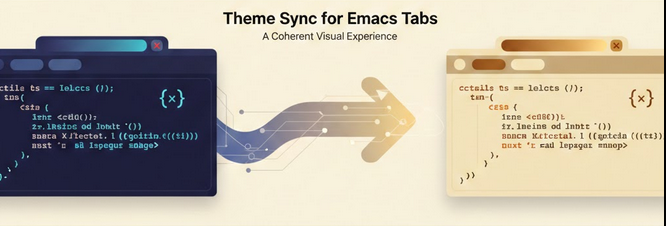
So how about a simple solution?, Can I implement something, that whenever I load a theme, the tab-bar faces update based on the theme’s default faces to establish a visually pleasant and coherent look?
Yes, yes I can!; the result is a tiny Elisp enhancement that hooks directly into Emacs’ theme-loading process.
Firstly however we need to have a method that will reliably pass over the themes default faces to the tab-bar. Here’s the function that realigns the tab-bar styling with your active theme:
(defun selected-window-accent-sync-tab-bar-to-theme ()
  "Synchronize tab-bar faces with the current theme."
  (interactive)
  (let ((default-bg (face-background 'default))
        (default-fg (face-foreground 'default))
        (inactive-fg (face-foreground 'mode-line-inactive)))
    (custom-set-faces
     `(tab-bar ((t (:inherit default :background ,default-bg :foreground ,default-fg))))
     `(tab-bar-tab ((t (:inherit default :background ,default-fg :foreground ,default-bg))))
     `(tab-bar-tab-inactive ((t (:inherit default :background ,default-bg :foreground ,inactive-fg)))))))
This simply rebuilds the key tab-bar faces so they derive their colours from the current theme’s normal face definitions, so any old themes should now not leave the tab bar faces hanging.
Now for the function activation; Emacs 29 introduced enable-theme-functions, a hook that runs every time a theme is enabled — perfect for our use case, but as always I have my eye on older Emacs versions, so lets fall back to a classic approach: advice on load-theme.
Here’s a version‑aware setup that does the right thing automatically:
(if (version<= "29.1" emacs-version)
    ;; Emacs 29.1+ — use the official theme hook
    (add-hook 'enable-theme-functions
              (lambda (_theme)
                (selected-window-accent-sync-tab-bar-to-theme)))
  ;; Older Emacs — fall back to advising load-theme
  (progn
    (defun selected-window-accent-sync-tab-bar-to-theme--after (&rest _)
      (selected-window-accent-sync-tab-bar-to-theme))
    (advice-add 'load-theme :after
                #'selected-window-accent-sync-tab-bar-to-theme--after)))
With this tweak in place, every time you change themes, your tab-bar instantly updates, colours stay consistent, clean, and theme‑accurate without you having to do anything at all! The downside to this of course is that any newer themes that were created after the advent of the tab bar in Emacs will have their tab-bar faces overridden, but for me this solution is good enough and gives a pleasant coherent visual tab bar experience.
Yay!, yet another Yak shaved!